
A simpler VeraCrypt alternative for everyday files (Windows)
VeraCrypt is one of the most respected encryption tools around — open-source, independently audited, and trusted for serious work. But it's built around encrypted volumes and whole disks, and for a lot of people that's more than they need. If you just want to lock a handful of files or a folder on Windows, there's a simpler path. This post is an honest look at both — including when you should stick with VeraCrypt.
What VeraCrypt is genuinely great at
Credit where it's due. VeraCrypt is excellent, and for some needs it's the right answer:
- Open-source and audited — anyone can inspect the code, and it has been through independent security audits.
- Encrypted volumes — you create a container (or encrypt a whole drive/USB) and mount it as a drive letter.
- Hidden volumes / plausible deniability — a volume inside a volume, for high-threat situations.
- Cross-platform — Windows, macOS and Linux.
Where people find it heavy
The power comes with friction, especially if you only want to protect a few files:
- You think in containers and drive letters, not files. You create a volume, decide its size up front, then mount and unmount it.
- There's a real learning curve — volume types, encryption/hash choices, keyfiles, mount options.
- It's built for volumes, so "just encrypt this one folder and send it" isn't the natural workflow.
The simpler alternative: per-file encryption
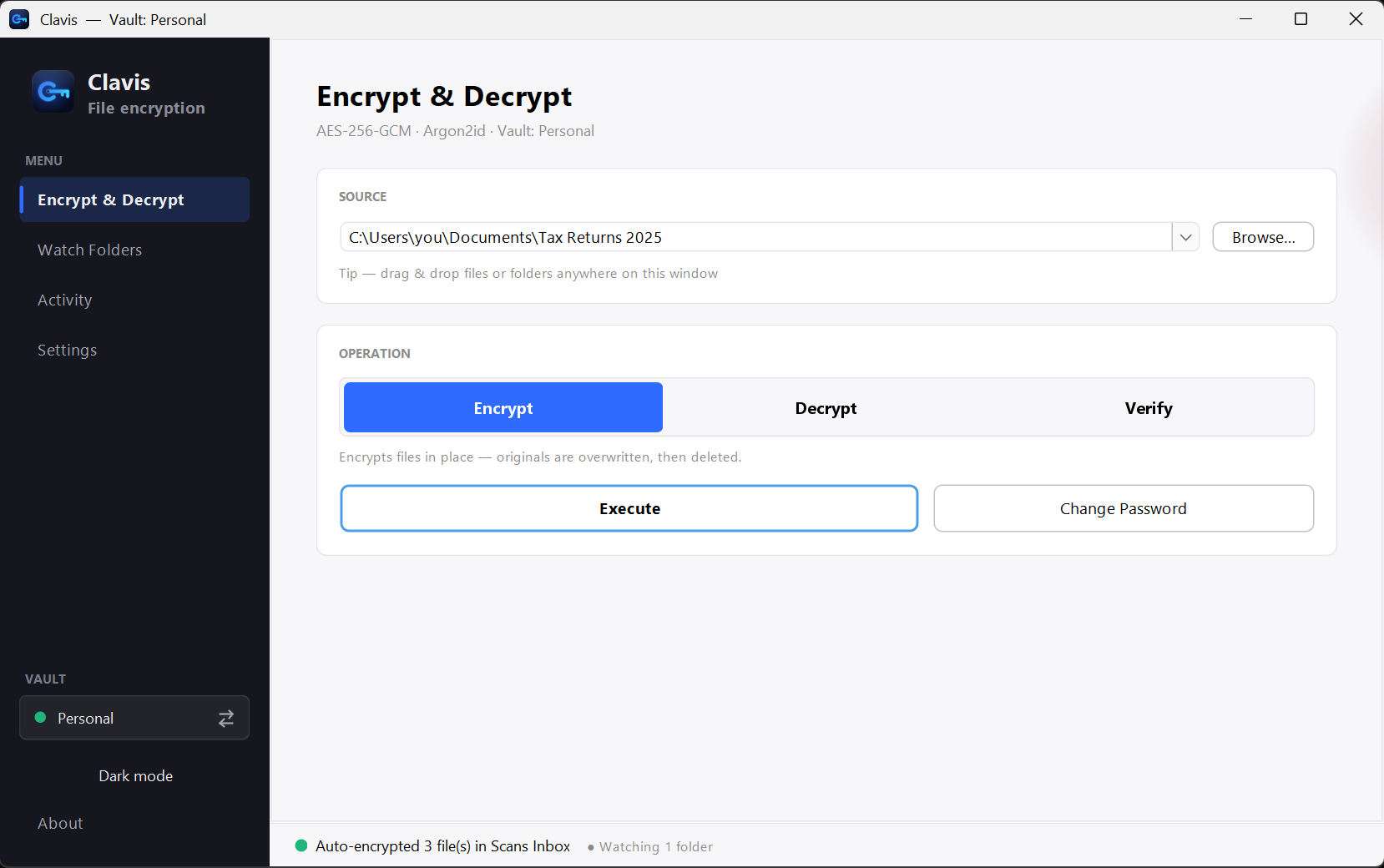
If your goal is "lock these files with a password," a per-file encryption app is a better fit than a volume manager. That's what Clavis does: you pick a password, drag a file or folder in, press Encrypt. No containers, no mounting, no size to decide in advance. It uses AES-256-GCM with Argon2id password hardening, runs entirely on your PC, and gives you a one-time recovery key in case you forget your password.
Honest comparison
| VeraCrypt | Clavis | |
|---|---|---|
| Model | Encrypted volumes & whole disks | Per file & per folder |
| Workflow | Create, mount, unmount a volume | Drag in, press Encrypt |
| Encryption | AES / others, XTS | AES-256-GCM, Argon2id |
| Open-source | Yes | No (closed-source) |
| Independent audit | Yes | Not yet |
| Forgot-password recovery | No (by design) | One-time recovery key |
| Platforms | Windows, macOS, Linux | Windows 10 & 11 |
| Learning curve | Moderate–steep | Minimal |
| Price | Free | Free |
So which should you use?
Stick with VeraCrypt if you need open-source and audited software, whole-disk or USB encryption, hidden volumes / plausible deniability, or the same tool across Windows, macOS and Linux. For high-stakes threat models, an audited open-source tool is the safer default — and we'll say that plainly.
Clavis is the simpler choice if you're on Windows, you want to lock individual files and folders without learning volumes, and you'd like a recovery key so a forgotten password doesn't mean lost files.