
Security & trust

Strong where it matters.

Clavis locks your files with the same encryption used to protect sensitive data worldwide — and it all happens on your own PC. Here's exactly how, in plain English, including the parts we're still honest about.

How your files are locked

The encryption, step by step.

I.

Your password becomes a key

Clavis runs your password through Argon2id — a slow, memory-hard function built to resist brute-force and custom cracking hardware. Clavis measures your PC once and uses as much memory as it comfortably can (up to 128 MiB per file), so each guess costs an attacker more. The result is the key; the password itself is never stored or sent anywhere. While you choose a password, Clavis estimates how long it would take to crack — checking it against the 10,000 most common passwords and patterns like keyboard runs, dates and l33t swaps — and tells you why a weak one is weak.

II.

Files are sealed with AES-256-GCM

AES-256-GCM is authenticated encryption: it both hides your data and detects any tampering. Large files are processed in 64 KiB authenticated chunks, so even huge files encrypt with a small, steady memory footprint.

III.

Integrity is checked on the way out

Every chunk is verified as a file is decrypted. If a single byte was changed or corrupted, Clavis refuses the file instead of handing you bad data.

IV.

A recovery key, sealed to you

The one-time recovery key lets you back in if you forget your password. It's protected with post-quantum public-key cryptography — X25519 combined with ML-KEM-768, the new NIST standard (FIPS 203) — so it stays safe as long as either one holds, even against future quantum computers. It's shown only once — Clavis can't recover it for you, and neither can we.

Everything stays on your PC

  • Accounts None — nothing to sign up for
  • Your files Never uploaded anywhere
  • Your password Never leaves your computer
  • Works offline Yes — encryption needs no internet
  • Goes online only To check for updates

Updates you can trust

When Clavis updates itself, it doesn't just download a file and run it. Each update carries a cryptographic signature, and the app checks that signature before installing anything. An update that isn't properly signed is refused — so a tampered or fake update can't slip in.

See it

Calm on top, serious underneath.

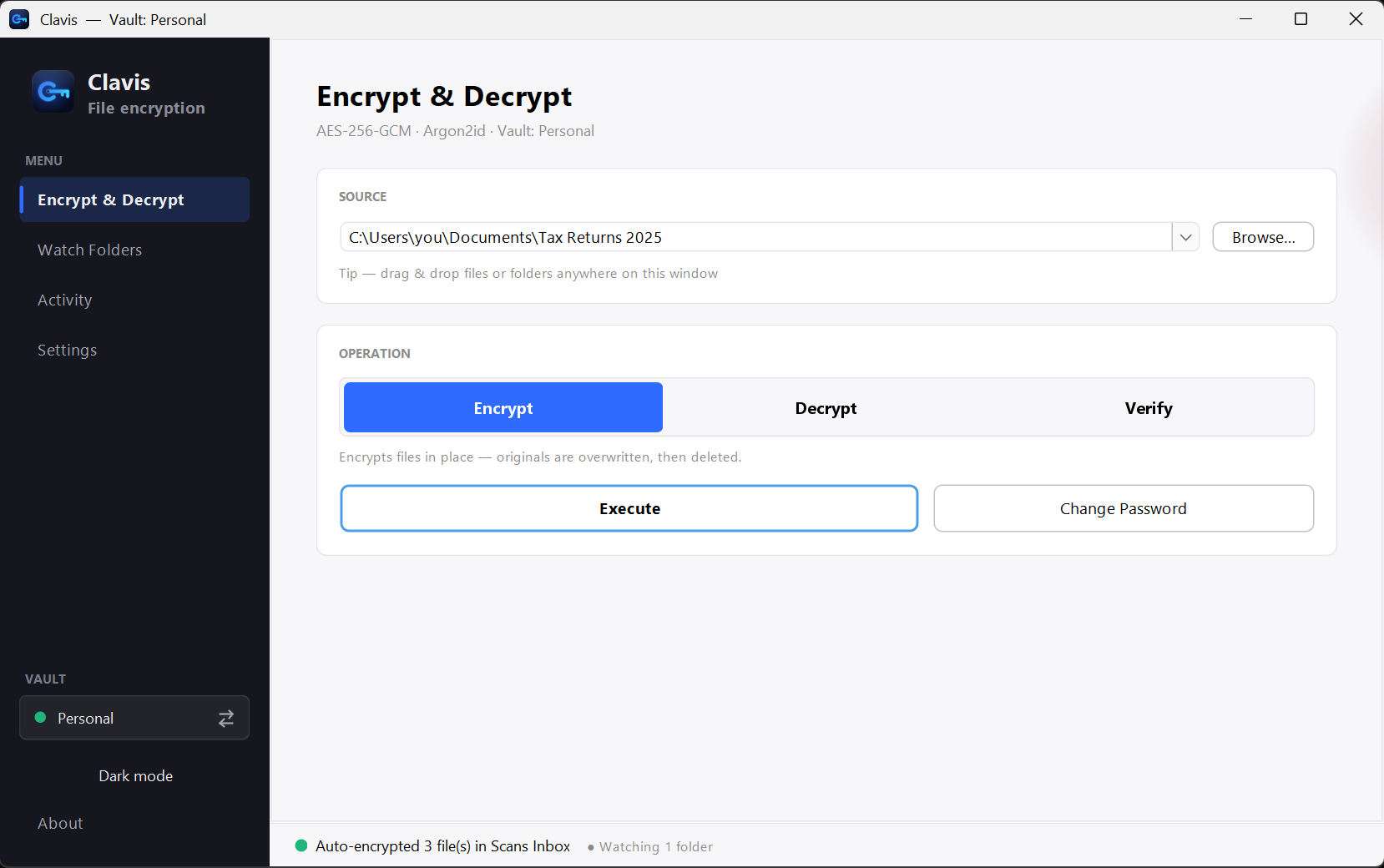
The Clavis app window on Windows
Plain honesty

What we don't pretend.

Source code
Clavis is closed-source today. The crypto it uses (AES-256-GCM, Argon2id, X25519, ML-KEM-768, Ed25519) is public, standard and widely trusted.
Independent audit
Not yet formally audited. We don't claim otherwise.
Deleting originals
Best effort. On SSDs, cloud folders and drives with shadow copies, the OS may keep remnants — the app tells you this.
The Windows warning
The installer isn't signed with a paid certificate yet, so Windows may show “unknown publisher.” It doesn't mean anything is wrong — see below.
Lost password & recovery key
If you lose both, your files cannot be opened — by anyone. That's the point of real encryption.

Verify it yourself

Don't just take our word for it. The download page lists the SHA-256 checksum of every file, so you can confirm yours is exactly what was published (in PowerShell: Get-FileHash .\Clavis-Setup.exe). You can also upload the file to VirusTotal to have it scanned by dozens of antivirus engines at once.

Prefer no installer at all? Use the portable ZIP — unzip it and run Clavis.exe directly. Nothing is written to system folders.

Questions

Can you or anyone recover my files?

No. Your files are locked with your password (and recovery key). We never see either, so we can't open your files even if asked.

How does sharing a file work?

Everyone has a Clavis ID: a public key you can give to anyone. When you encrypt a file for someone, Clavis locks it with a fresh random key and seals that key separately to each person's ID — using X25519 and the post-quantum ML-KEM-768 together — and to yours. The whole file is signed with your key, so the people you send it to can see it's from you and that nothing changed on the way. No password is ever shared. Compare the short fingerprint with the person (on the phone or in person) when you add them.

Is Clavis safe against quantum computers?

Your files are encrypted with AES-256, which is considered safe against quantum computers. The recovery key — the one part that uses public-key cryptography — is protected by X25519 together with ML-KEM-768, the post-quantum standard, since Clavis 3.3. Recovery keys made with older versions still work; Settings shows “classic” next to them and lets you upgrade.

Is my password sent anywhere?

Never. It's turned into a key on your computer and used locally. Clavis has no server that could receive it.

Why does Windows warn me?

The installer isn't signed with a paid certificate yet. Click More info → Run anyway, or scan it on VirusTotal first.

Your key, your files.

Download Clavis for Windows and keep control of your own data.