
Activate Clavis Pro or Premium
Clavis Pro and Premium are one-time purchases — see pricing. Your licence key arrives by email.
Activate
Open Settings → License, paste the key and press Activate.
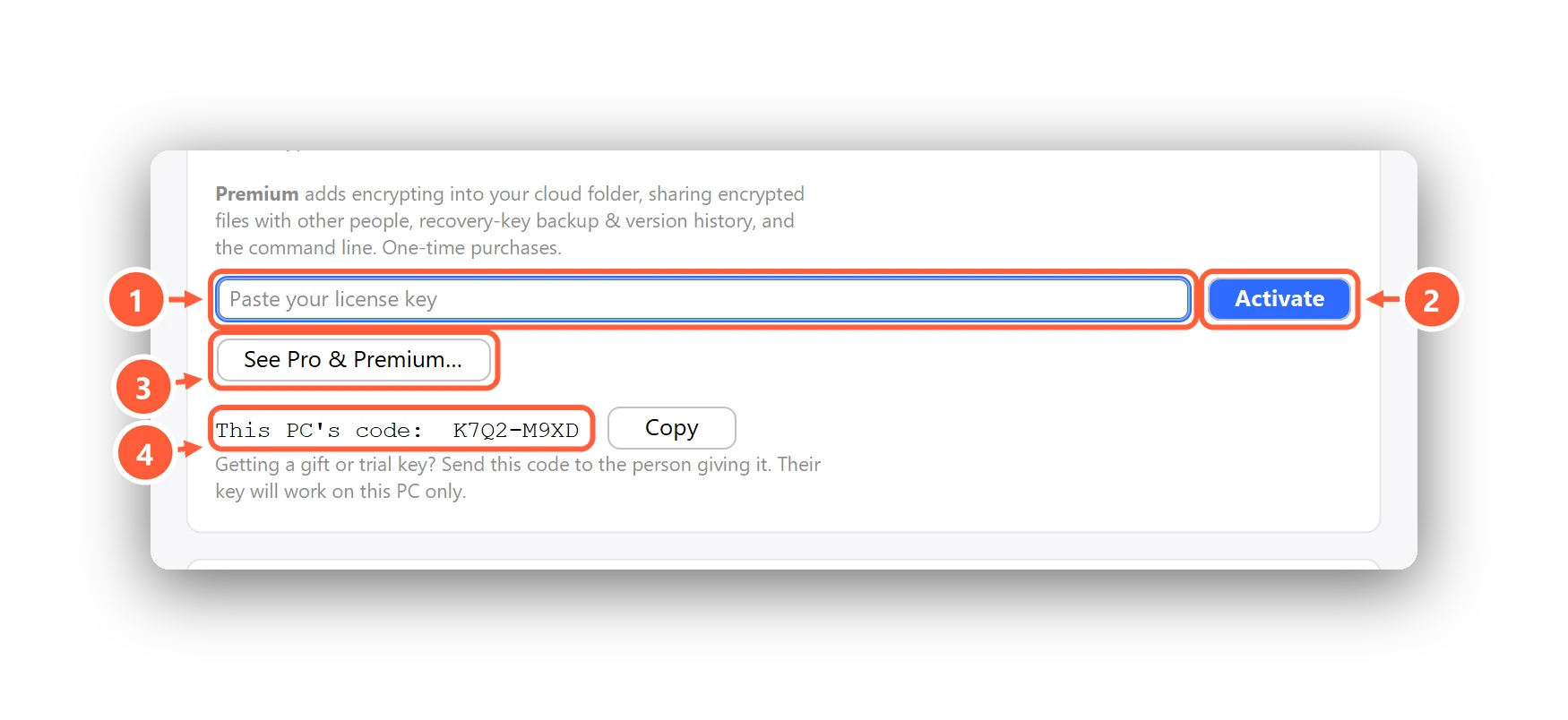
- Paste the licence key from your email
- Press Activate
- Compare plans
- Getting a gift or trial key? Send this code to the giver
The key is checked once online; after that Clavis works offline, with no account. Once active, Settings shows your plan and who it's licensed to.
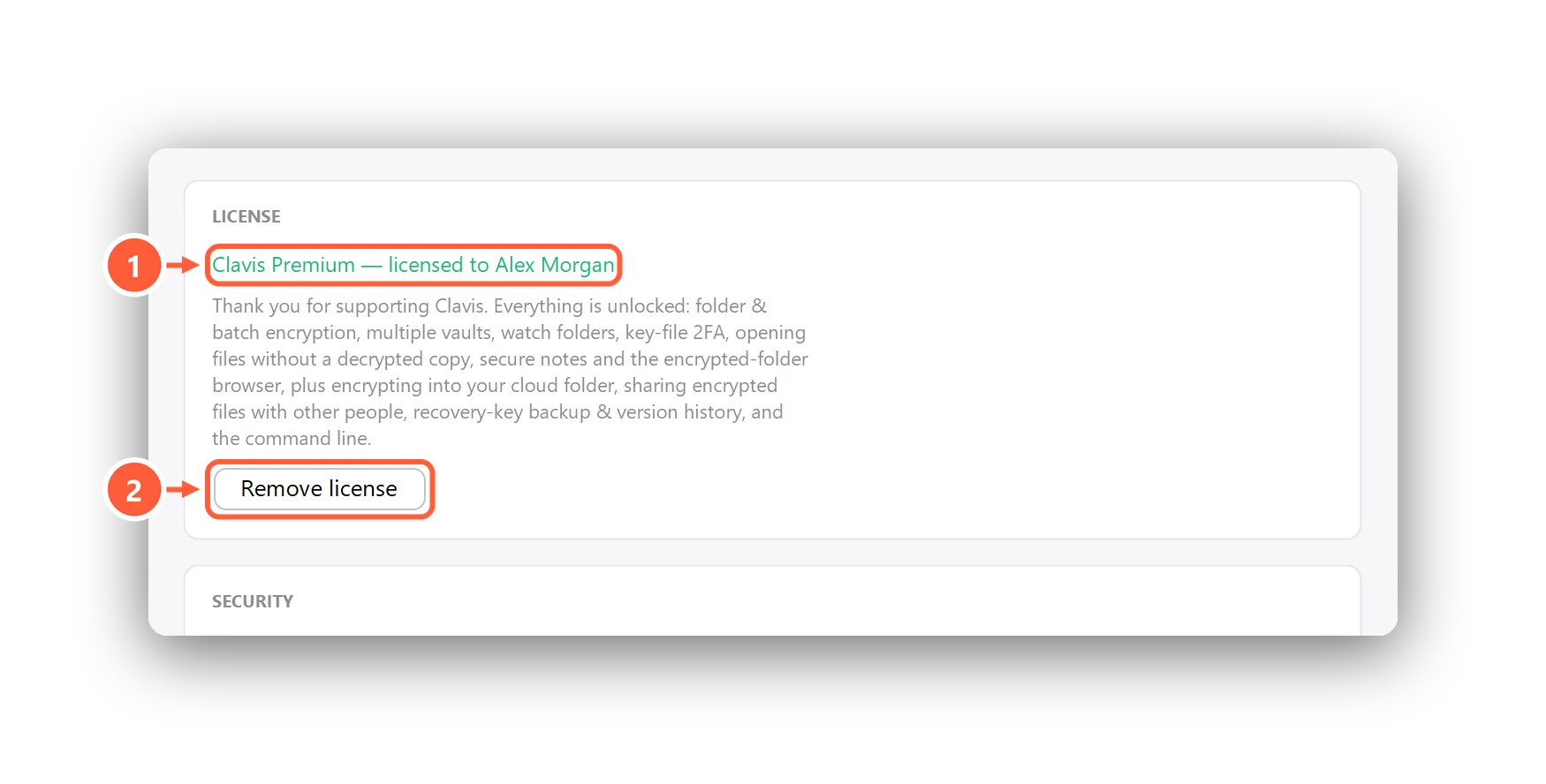
- Your plan and who it's licensed to
- Move your licence to another PC
Gift and trial keys
A key you got as a gift or a trial works on one PC only. Before the person makes it, send them the code shown under This PC's code in Settings → License (press Copy). Paste the key you get back and press Activate. A trial key also shows its end date; after it, Clavis goes back to Free and your files and vaults stay exactly as they are.
Moving to another PC
Press Remove license on the old PC, then activate the key on the new one. Your files and vaults are not affected by licence changes — and restoring a backup, opening shared files and the encryption itself stay free whatever your plan.
Upgrading from Pro to Premium
Email clavis.enc@gmail.com from the address you bought Pro with; you only pay the difference. Paste the Premium key into the same field.
Can't find what you need? All help articles · Email us