
Go back to an earlier version of a file
Each time you edit an encrypted file with Open and choose Save changes & re-lock, Clavis keeps the version from before your edit — still encrypted. It keeps up to 10 versions per file for 90 days (the newest is always kept).
See and restore versions
Right-click the .enc file → Clavis → Previous versions…, or select it in
Browse Encrypted and press Versions….
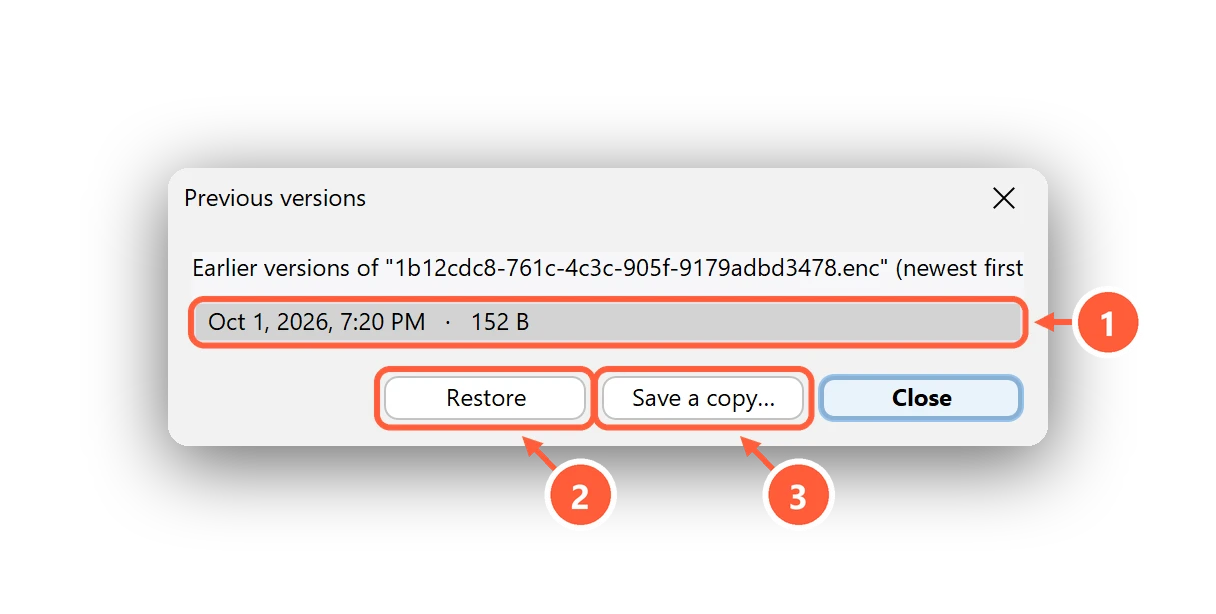
- Earlier versions, newest first
- Put the selected version back (the current one is kept too)
- Or save it as a separate file
Restore puts the selected version back — the current one is kept as a version too, so you can undo it. Save a copy… saves the old version as a separate file instead.
Can't find what you need? All help articles · Email us