
Browse encrypted files by their real names
Encrypted files get random names like 3f9c2b…e1.enc, so a folder of them tells an outsider nothing.
Browse Encrypted reads the real names from inside the files (with your vault) and shows them as a normal list.
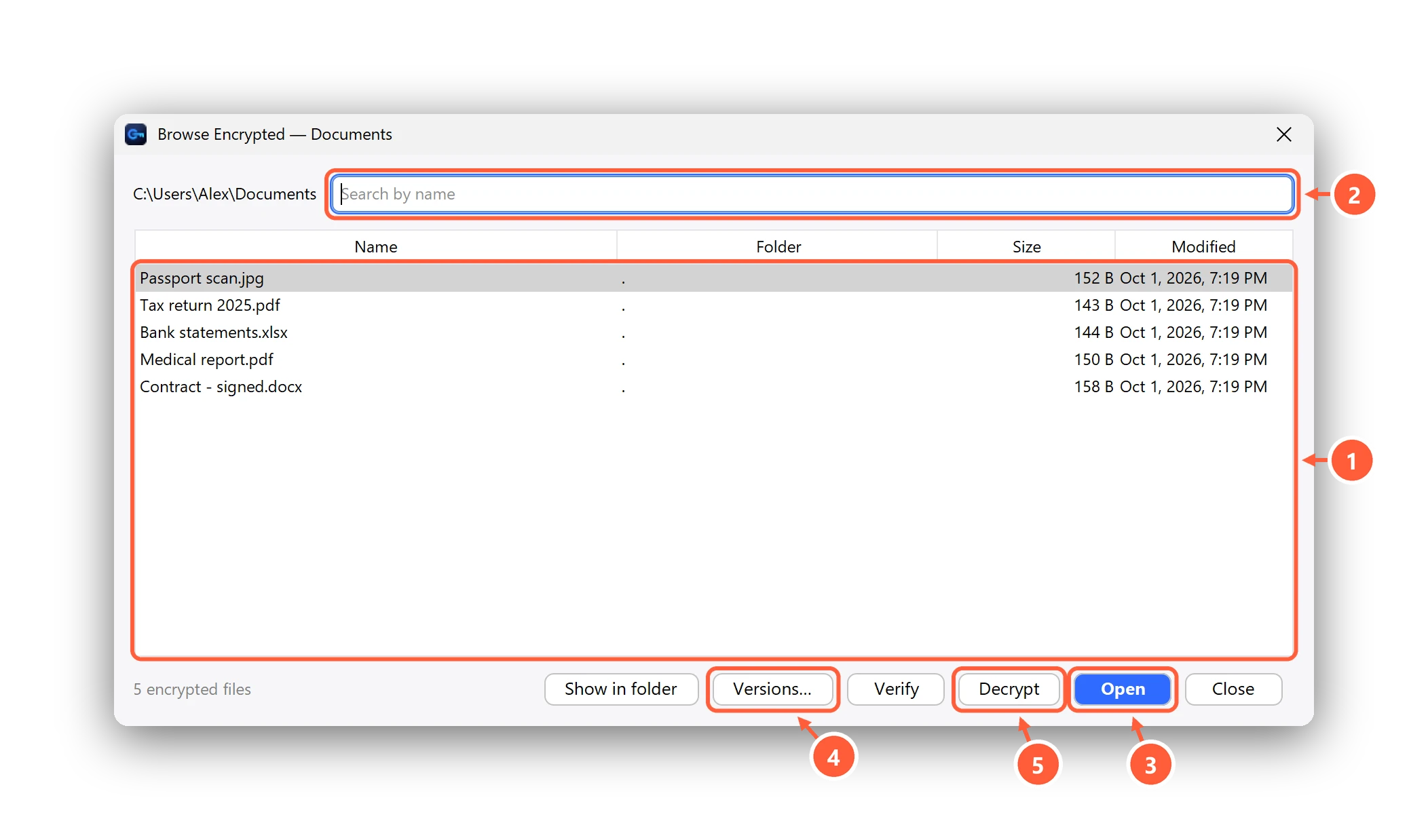
- Real names, read from inside the encrypted files
- Search by name
- Open without leaving a decrypted copy
- Earlier versions of a file (Premium)
- Or decrypt / verify the selected files
- Choose Browse Encrypted in the sidebar and pick a folder — subfolders are included.
- Select one or more files, then Open, Decrypt, Verify or Show in folder.
- Versions… shows earlier versions of the selected file (Premium).
Can't find what you need? All help articles · Email us