
Keep secure notes in your vault
Secure Notes is for small secrets that aren't files: Wi-Fi passwords, locker codes, account numbers, answers to security questions. Notes are encrypted inside your vault with the same keys as your files.
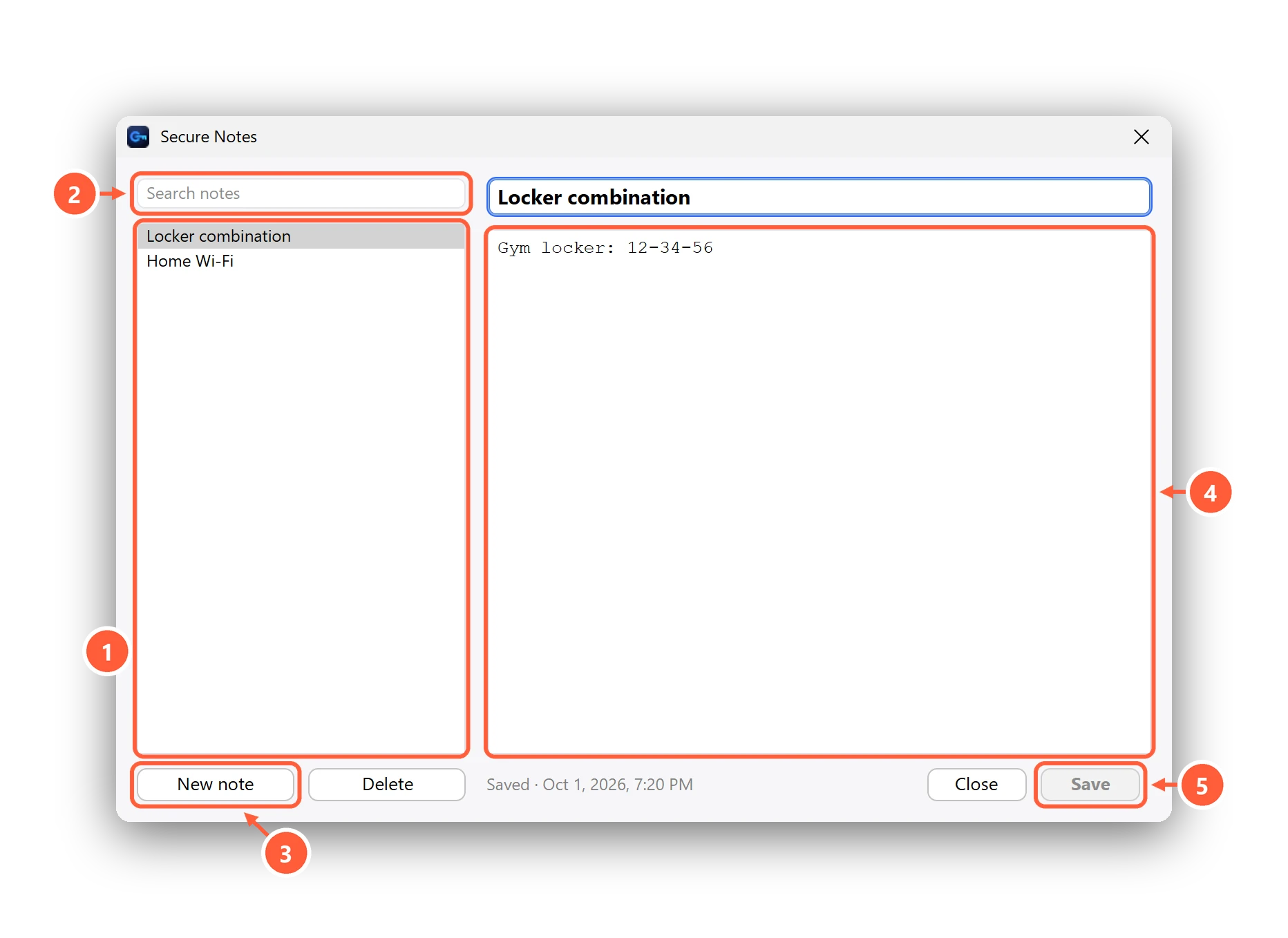
- Your notes, newest first
- Search titles and text
- Add a note
- Everything here is encrypted in your vault
- Saved when you switch notes, press Save or close
- Notes save when you switch to another note, press Save or close the window.
- Search looks through titles and text.
- Notes are included in a vault backup (Premium), so they move with you to a new PC.
Can't find what you need? All help articles · Email us