
Share encrypted files without sharing a password
Sending a password-protected file means sending the password too. Clavis does it differently: everyone has a Clavis ID — a public key — and you encrypt files for someone's ID. Only their vault can open them. No password changes hands.
Having a Clavis ID, adding contacts and opening files shared with you are free. Encrypting files for someone is part of Clavis Premium.
Your ID and your contacts
Choose Sharing in the sidebar.
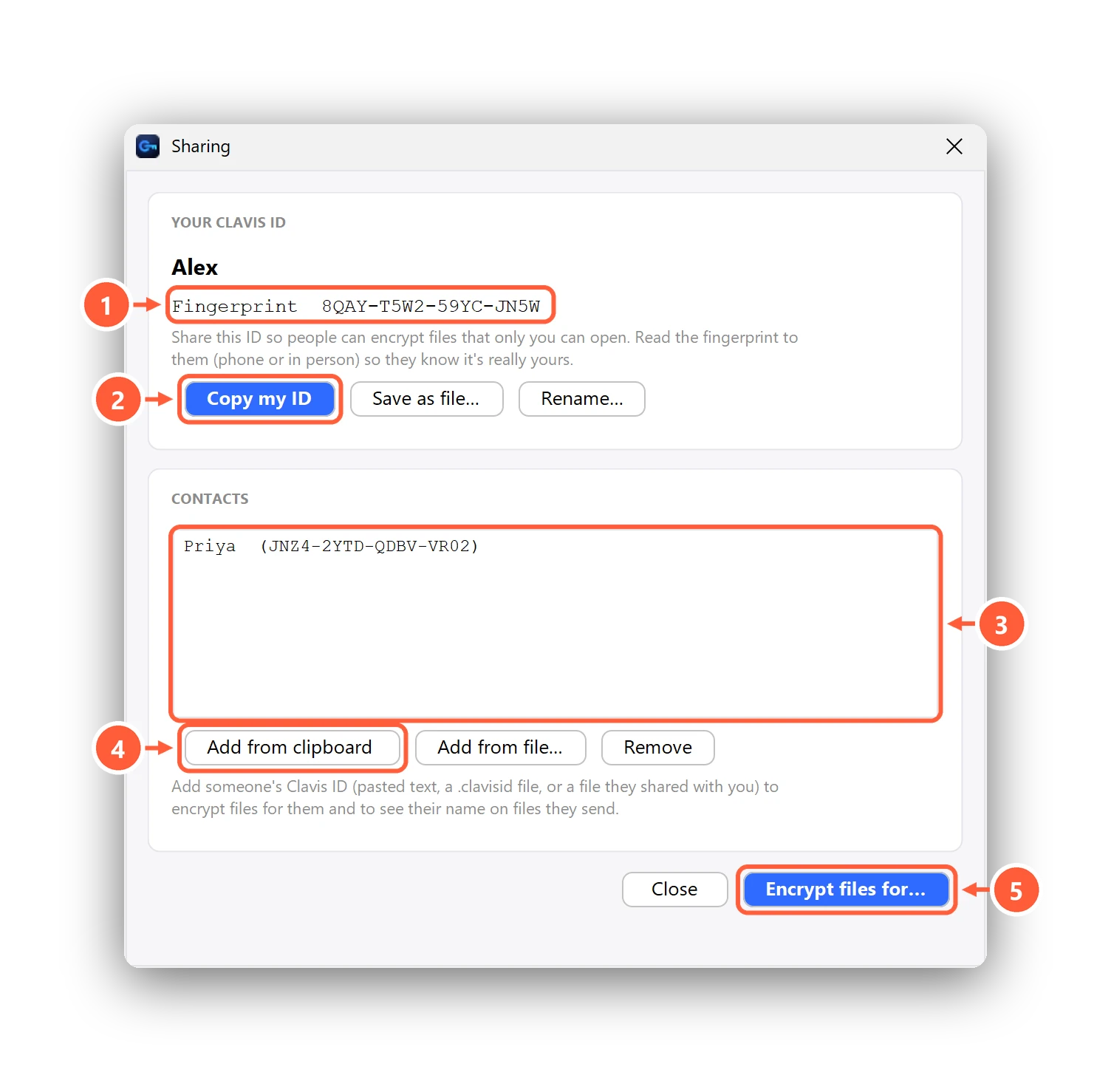
- Your fingerprint — read it to people you share with
- Send your ID so people can encrypt files for you
- Your contacts
- Add someone's ID
- Encrypt files for contacts (Premium)
Add a contact
Ask the person to send their ID (Copy my ID, or the .clavisid file). Then press Add from clipboard,
Add from file…, or just double-click the .clavisid file.
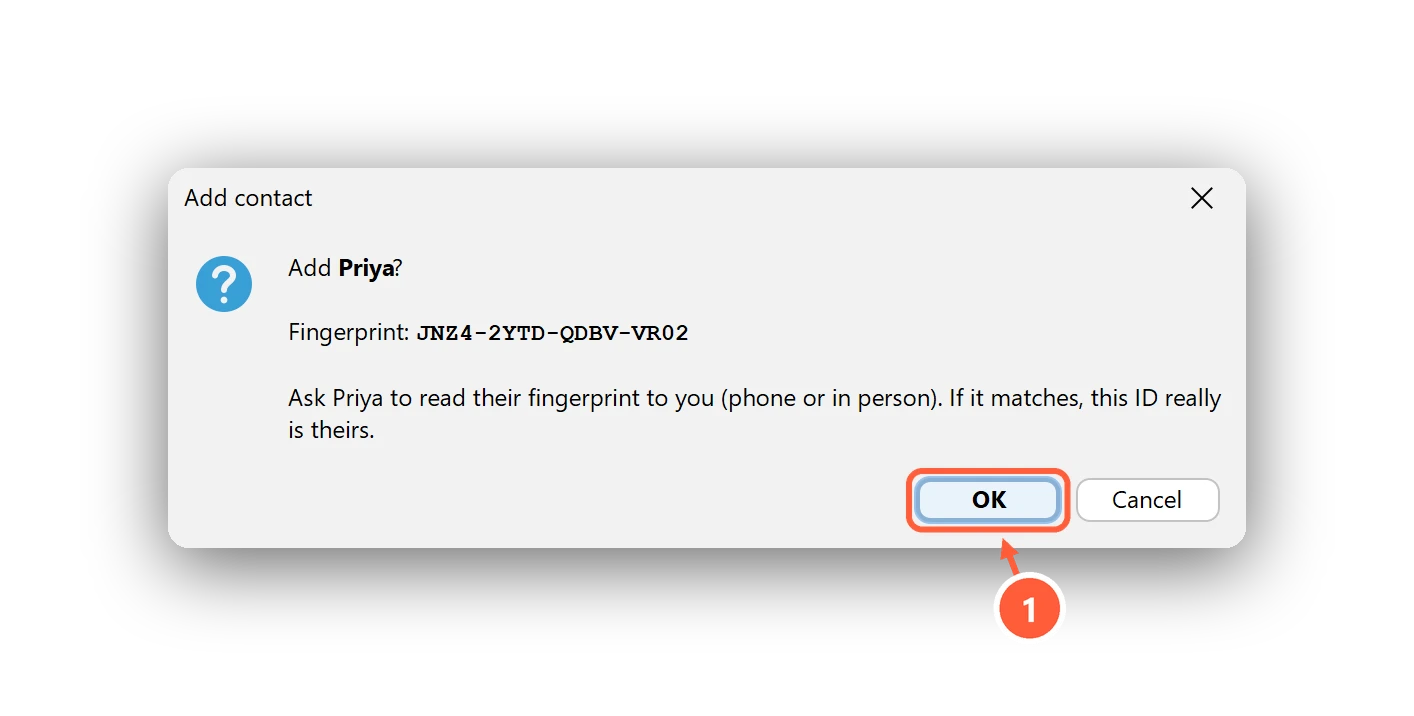
- Compare the fingerprint with the person, then OK
Encrypt files for someone
Right-click files in File Explorer → Clavis → Encrypt for someone… (or Encrypt files for… in Sharing), then pick one or more contacts.
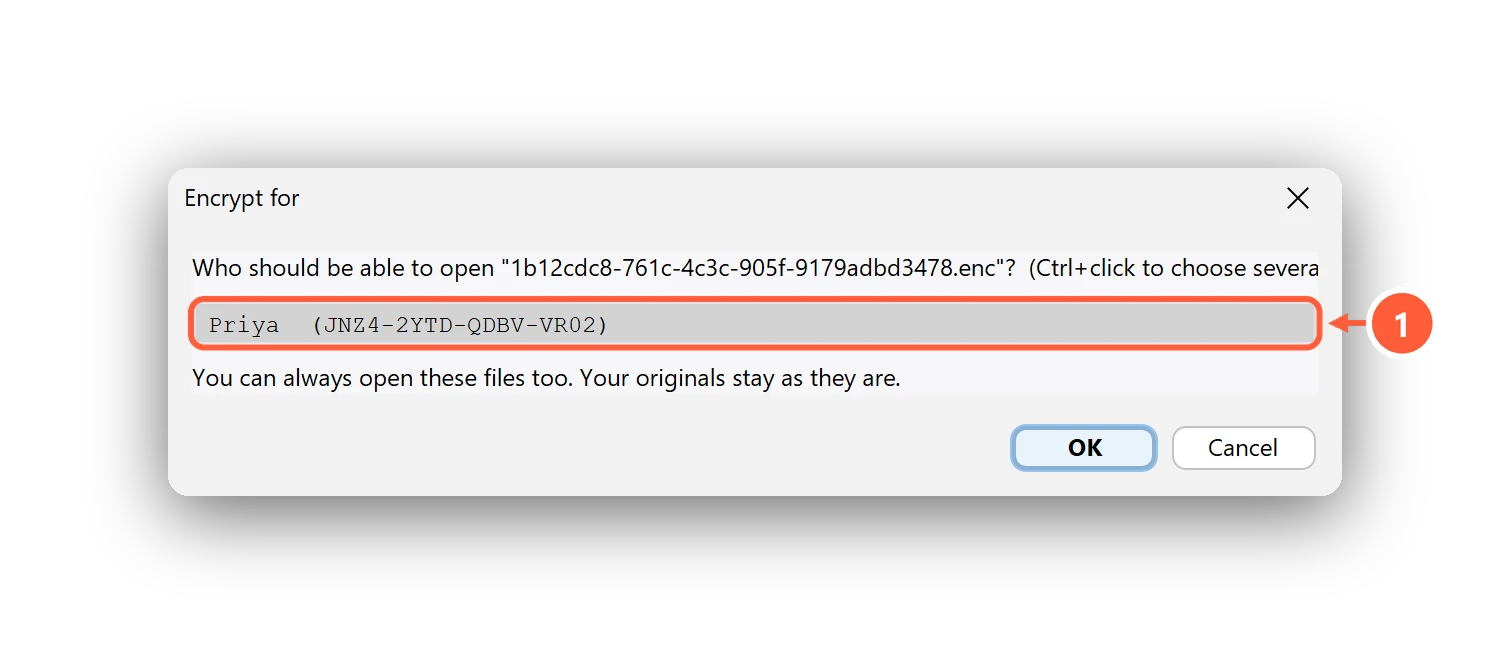
- Pick who can open it (Ctrl+click for several)
Send the resulting .enc file any way you like — email, chat, a USB stick. Your contacts open it with Clavis
(free), and Verify shows it really came from you: every shared file is signed.
Under the hood: each recipient gets the file key wrapped with X25519 + ML-KEM-768 (post-quantum hybrid), and the file is signed with Ed25519. See the Security page.
Can't find what you need? All help articles · Email us